The Logo Row block A piece of a page, such as a paragraph, a picture or a button. In WordPress you build a page by putting blocks one after another. shows a row of logos from customers, partners or the press. See it working on the Logo Row page.
Add a row of logos
Add the Logo Row block where you want it.
Type over the heading line above the logos, or turn it off under Show heading.
In the Settings tab, press Add logo for each logo and pick it from the media library.
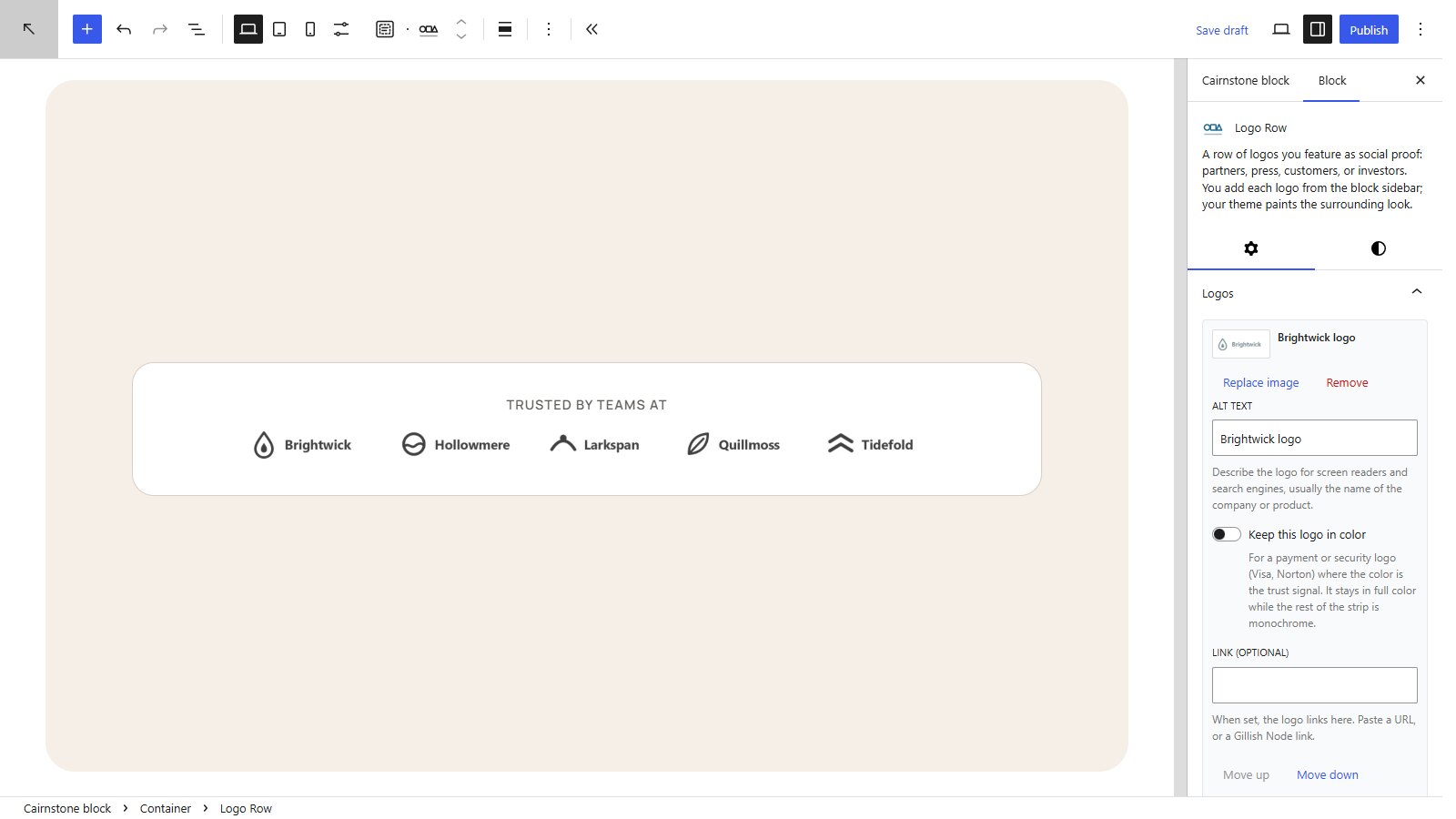
Each logo
- Alt text: describe the logo for screen readers A program that reads the screen aloud, for people who cannot see it well. They move around the page with the keyboard and hear what is there. and search engines, usually the name of the company or product.
- Keep this logo in color: for a payment or security logo where the colour is what people trust. It stays in full colour while the rest of the row is grey.
- Link (optional): the logo links here, a link or a Gillish Node link.
- Replace image, Remove, Move up and Move down.
The whole row
- Logo height: 24 to 96 pixels, 48 to start. The width follows, so each logo keeps its shape.
- Alignment: Left, Center (the default), Right, or Spread evenly, which puts the same space between every logo, good for five or more.
- Logo treatment: Full color, Grayscale (the default), Single ink (dark), or Single ink (white, for dark backgrounds). A logo set to keep its colour ignores this.
- Surface: None (on the page) (the default), Tinted band or Cards.
- Show heading is on to start.
Colours and shape
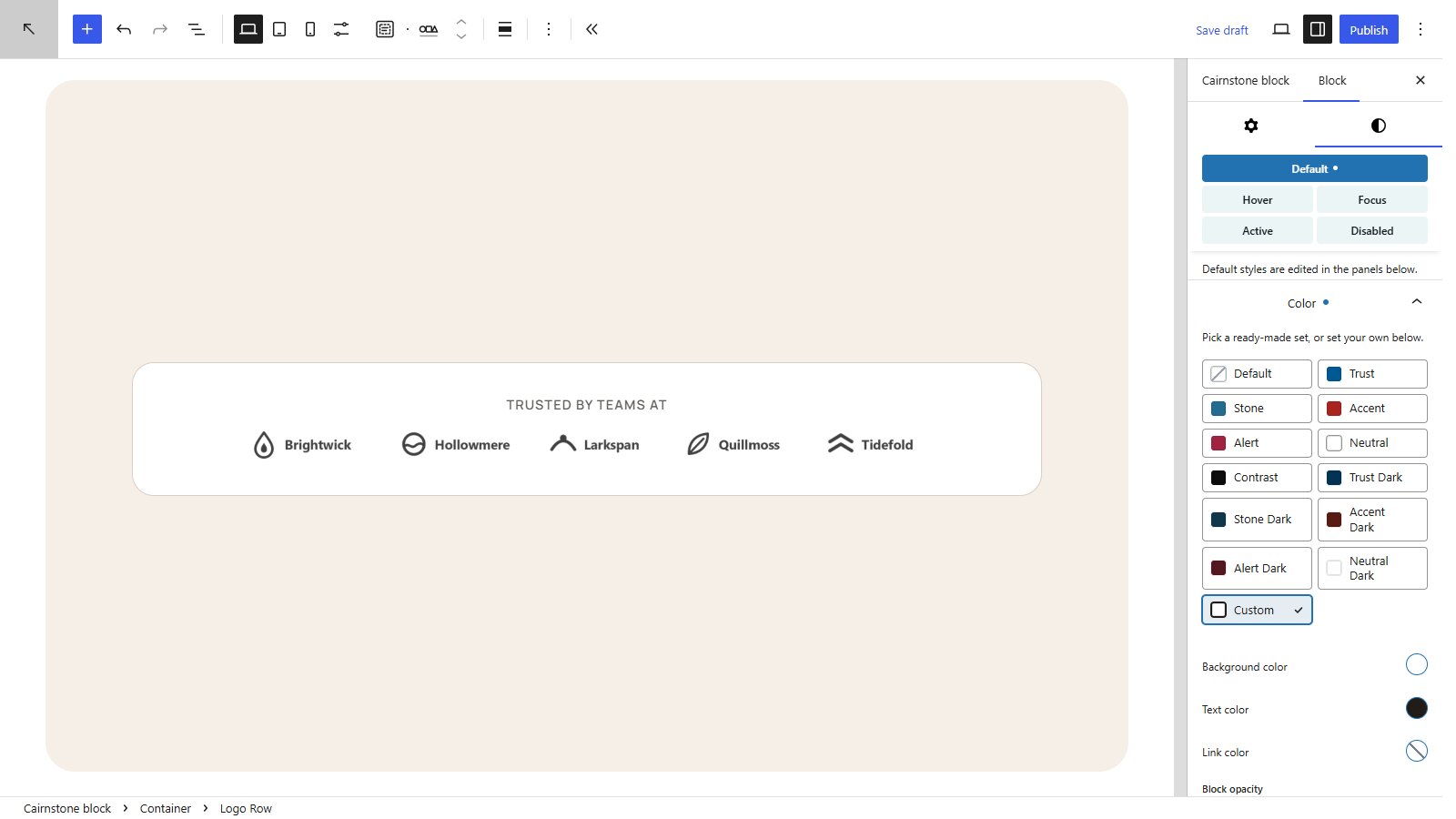
Where you set the look depends on where you edit the block. In a normal post or page, the Styles tab has WordPress’s own controls: colour, typography, padding and margin, and border. In a saved Cairnstone block, under Cairnstone → Blocks, the Styles tab has Cairnstone’s full set: colour (a ready-made set or your own), typography, border, shadow, filters, and size and spacing, each for the normal state and for hover, focus, pressed and switched off.
What visitors get
A linked logo with no description is named after the address it goes to, for screen readers. An unlinked logo with no description is treated as decoration.
Next, read Show your places on a map.