Cairnstone suggests text for your privacy policy, works with WordPress’s tools for data requests, and asks your cookie banner before it keeps visit counts, campaign tags and the other things a visitor did not choose themselves. For every Gillish plugin on one page, see What Gillish stores about your visitors.
Add Cairnstone to your privacy policy
Go to Settings → Privacy, open Policy Guide and find Gillish Cairnstone.
Copy each part under the matching heading in your own policy. The guide uses the same headings as WordPress’s suggested policy.
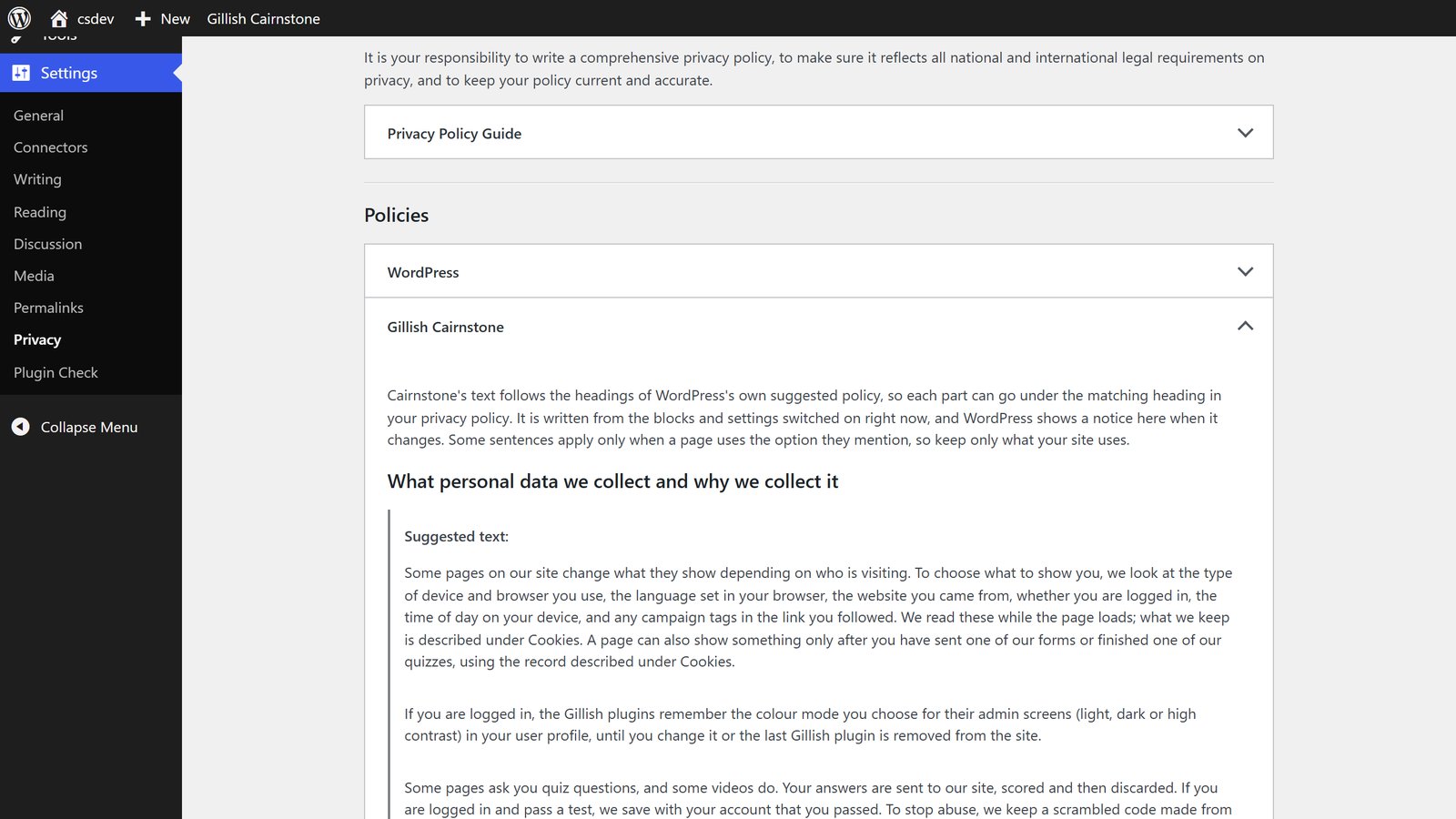
The text lists the cookies and browser storage Cairnstone uses, what visitors’ browsers and accounts remember, what Cairnstone keeps on your server, and when video, audio and maps load from other websites. It follows the blocks A piece of a page, such as a paragraph, a picture or a button. In WordPress you build a page by putting blocks one after another. and settings you have switched on, and WordPress tells you when it changes.
When someone asks for their data
Use Tools → Export Personal Data and Tools → Erase Personal Data. The choices Cairnstone remembered with the person’s account are included, and so is every quiz they passed, in a Quiz block or in a video. These tools find people by e-mail, so they cover people with an account. For a visitor who is not logged in, what Cairnstone remembers stays in their own browser, and they remove it by clearing their cookies and site data.
What Cairnstone keeps on your server
- Quiz limits: a quiz that lets each visitor take it only so often, when it counts by address, keeps a scrambled code made from the visitor’s IP address, never the address itself. The code is removed when the limit runs out. For a quiz that may be taken only once, it stays, because that is the limit. To stop abuse, every quiz also keeps, by default, such a code for one minute after a visitor checks an answer or finishes.
- AI assistant requests: the record of what AI assistants asked also holds requests Cairnstone refused, including requests from people who are not logged in. It keeps no IP address, and each entry is deleted after 30 days.
- Changing sections: the count of which version of a section was shown holds only the section, the version, the rule that chose it and the time. Nothing in it points to a visitor.
Quiz answers are scored and then thrown away. What a visitor types in a form goes to Gillish Core, which keeps it; Cairnstone keeps only that the form was sent, in the visitor’s own browser.
What loads from other websites
A page with Cairnstone blocks loads nothing from other websites while it opens, unless you choose otherwise for a video or a map. By default, video, audio and maps wait for the visitor:
- Maps load from OpenFreeMap or Google Maps when the visitor presses Show map. You can set a map to load as soon as the visitor accepts marketing cookies, or as soon as the page opens. With the last choice the map loads without asking, so the map’s service gets the visitor’s IP address, and Google Maps may set cookies, before the visitor has answered your cookie banner.
- Video and audio from YouTube, Vimeo, Spotify and other services load when the visitor presses play. A background video loads with the page, and a player you set to wait for marketing consent loads as soon as the visitor agrees.
Work with your cookie banner
Cairnstone does not show a cookie banner. It works with banners that support the free WP Consent API plugin An add-on you install in WordPress to give your site new features. Gillish Cairnstone and Gillish Core are plugins., such as Complianz, Cookiebot, CookieYes and iubenda. Install WP Consent API next to your banner: the banner writes the visitor’s answer there, and without it the banner has no way to tell Cairnstone anything. Cairnstone asks about three categories:
- Marketing: the campaign tags from the link a visitor followed.
- Preferences: how many times a visitor has been here, which version of a changing section they saw, their country, when a countdown that gives each visitor their own time started for them, and, in the video and audio players, where they stopped and their volume, speed and caption choices.
- Anonymous statistics: the count of which version was shown, and the plays Cairnstone hands to Google Analytics or Matomo when you turn that on.
Until a visitor agrees, Cairnstone treats these as unknown, as for a visitor who asks not to be tracked. Campaign tags in a link still count on the page the link opens. Where a visitor stopped in a video or recording, and their player choices, stay only until the tab closes. A countdown that gives each visitor their own time stays hidden, because it has no start time to count from. When a visitor says no, Cairnstone deletes what it kept, on the next page they open.
The choices visitors make themselves are not asked about: closing a notice or a pop-up, ticking a checklist, sending a form or finishing a quiz. Cairnstone remembers these in the visitor’s own browser.
Without such a banner, Cairnstone keeps everything as described here. The same holds when WP Consent API is installed but no banner has told it to ask visitors first.
What happens to Cairnstone’s data when you delete the plugin is set on the Data tab; see Find your way in Cairnstone’s menu and settings.
Next, read Use Cairnstone on a multilingual site.