The Quiz block A piece of a page, such as a paragraph, a picture or a button. In WordPress you build a page by putting blocks one after another. asks questions one at a time and ends with a result you design. See it working on the Quiz page.
Add a quiz
Add the Quiz block where you want it. It starts with three questions and two results.
Type each question and its answers, and mark the Right answer. Press Add question for more.
Write each result, and set from what share of the points it shows.
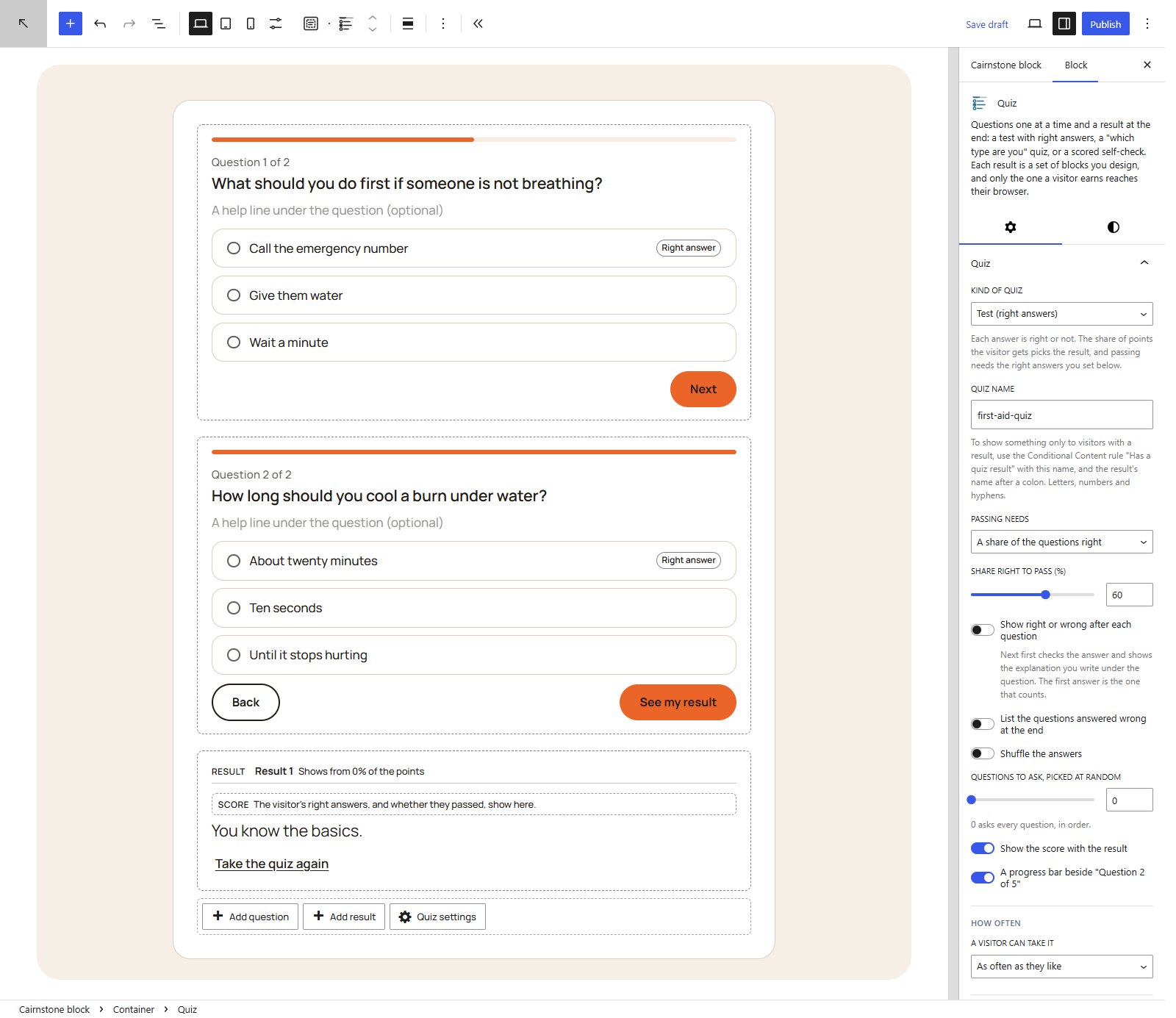
The Quiz settings
- Kind of quiz: Test (right answers) to start.
- Quiz name: made up for you to start. To show something only to visitors with a result, use the Conditional Content rule Has a quiz result with this name.
- Passing needs: A share of the questions right (the default) or A number of questions right. Share right to pass (%): 60 to start.
- Show the score with the result is on to start.
- List the questions answered wrong at the end, Shuffle the answers and A progress bar beside “Question 2 of 5” are off to start.
- Questions to ask, picked at random: 0 asks every question, in order.
- Under Button words, change Next, Back, See my result and Take the quiz again.
To send the result and the score with the visitor’s email, put a Sign-up form inside a result. A Sign-up form needs Gillish Core, which is free.
Colours and shape
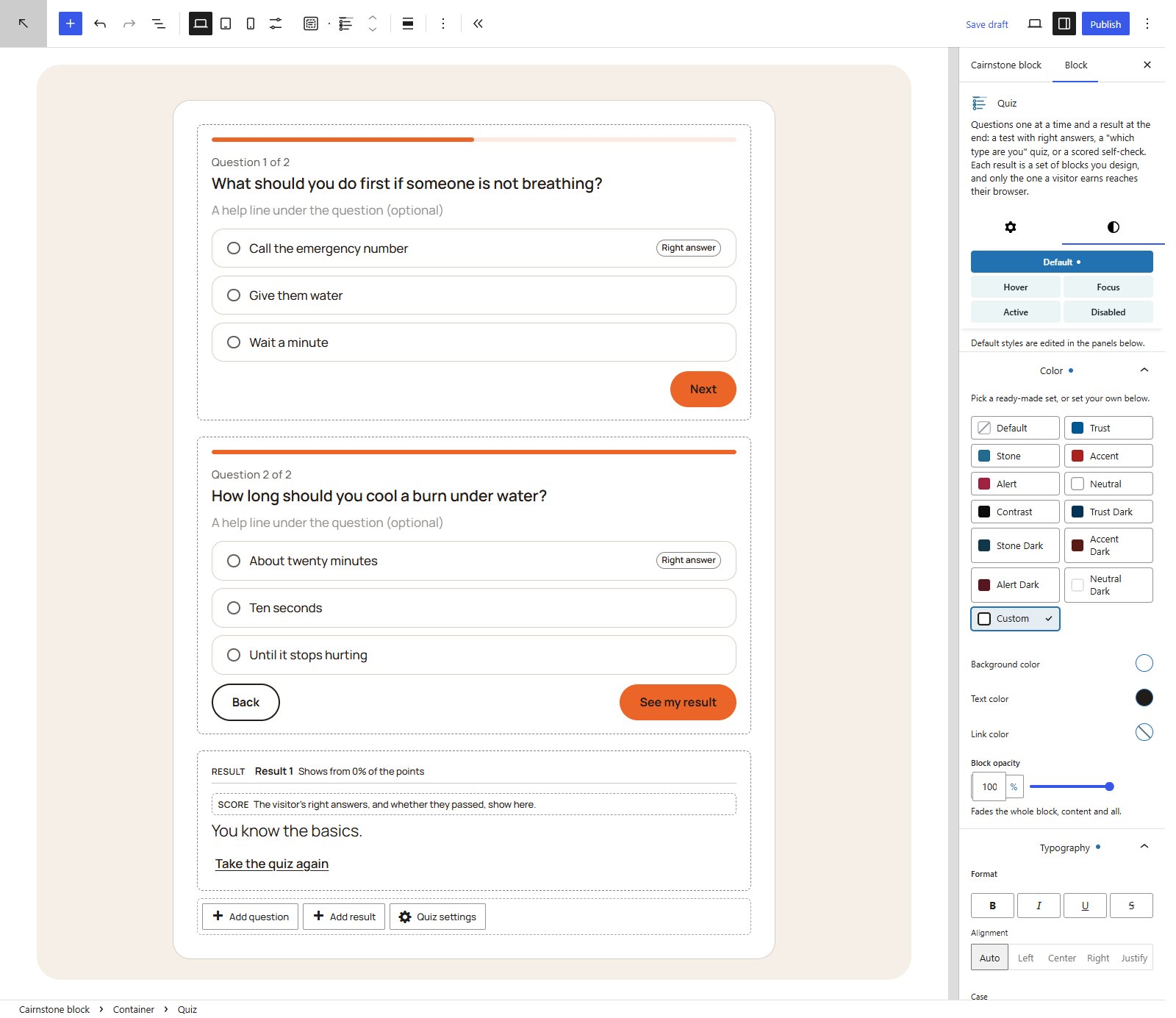
Where you set the look depends on where you edit the block. In a normal post or page, the Styles tab has WordPress’s own controls: colour, typography, padding and margin, and border. In a saved Cairnstone block, under Cairnstone → Blocks, the Styles tab has Cairnstone’s full set: colour (a ready-made set or your own), typography, border, shadow, filters, and size and spacing, each for the normal state and for hover, focus, pressed and switched off.
What visitors get
One question at a time, each with its own heading, such as Question 1 of 2, and real radio buttons. At the end they see their score, such as 2 of 2 right. Passed., and the result, and the keyboard moves to the result’s heading. The result is kept in a cookie on the visitor’s device.
Next, read Shorten long text behind Read more.