The Code Snippet block A piece of a page, such as a paragraph, a picture or a button. In WordPress you build a page by putting blocks one after another. shows code in colour, with a copy button, a language label and, if you want them, line numbers. See it working on the Code Snippet page.
Add a code snippet
Add the Code Snippet block where you want it.
Type or paste the code in the code area. The colours show as you type.
In the Settings tab, pick the Language.
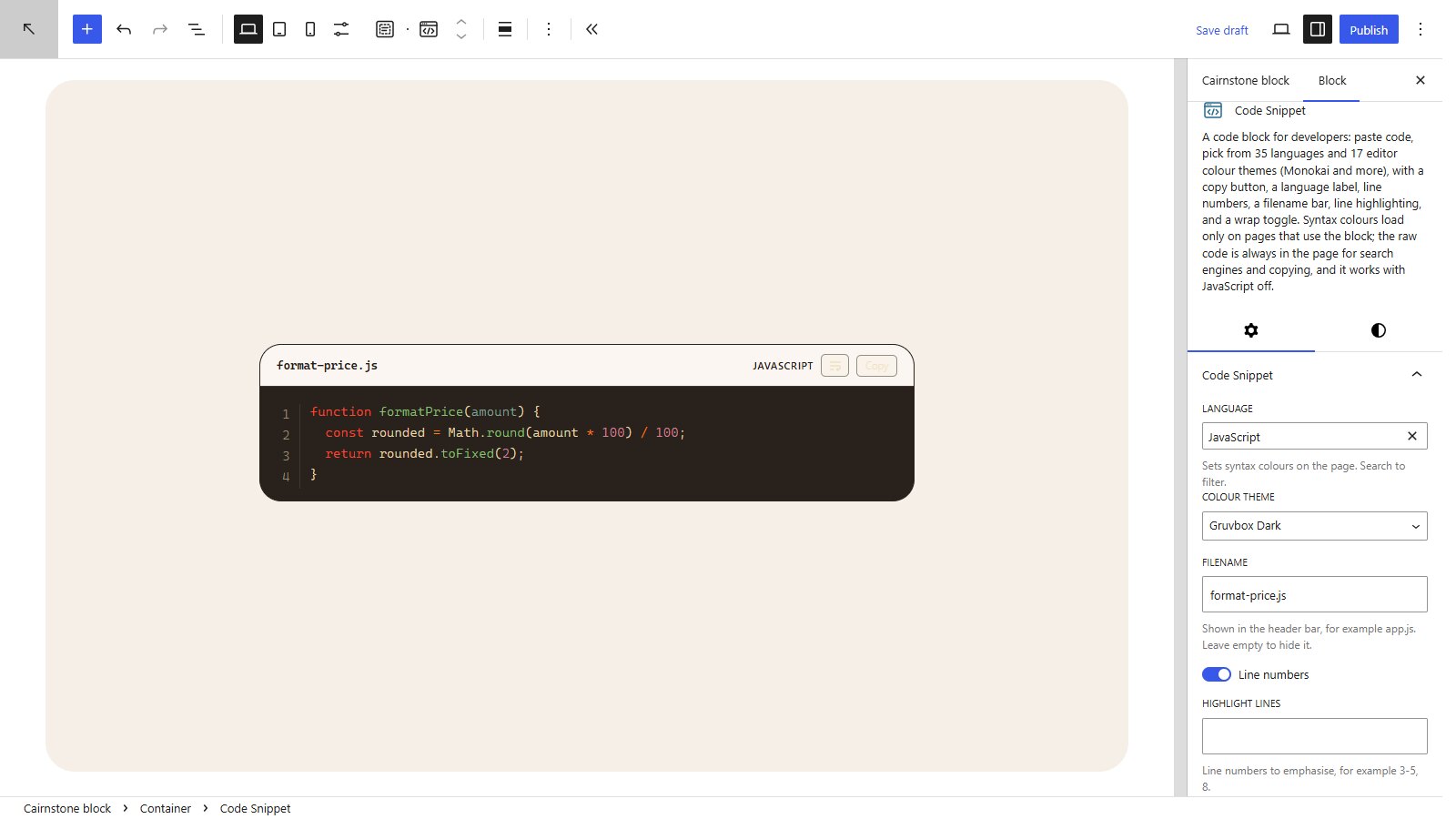
The Code Snippet settings
- Language: Plain text to start. It sets the colours for that language on the page. Type in the field to find one.
- Colour theme: Monokai to start, or one of 16 more: Dracula, One Dark, Nord, Night Owl, Tomorrow Night, Shades of Purple, Gruvbox Dark, SynthWave ’84, GitHub Dark, Solarized Dark, GitHub Light, Solarized Light, One Light, Gruvbox Light, Material High Contrast and Cyberpunk 2077.
- Filename: shown in the header bar, for example app.js. Leave it empty to hide it.
- Line numbers is off to start.
- Highlight lines: the line numbers to stand out, for example 3-5, 8.
- Wrap long lines (off to start). Off, long lines get a scrollbar to the side.
Colours and shape
Where you set the look depends on where you edit the block. In a normal post or page, the Styles tab has WordPress’s own controls: padding and margin, and border. In a saved Cairnstone block, under Cairnstone → Blocks, the Styles tab has Cairnstone’s full set: colour (a ready-made set or your own), typography, border, shadow, filters, and size and spacing, each for the normal state and for hover, focus, pressed and switched off.
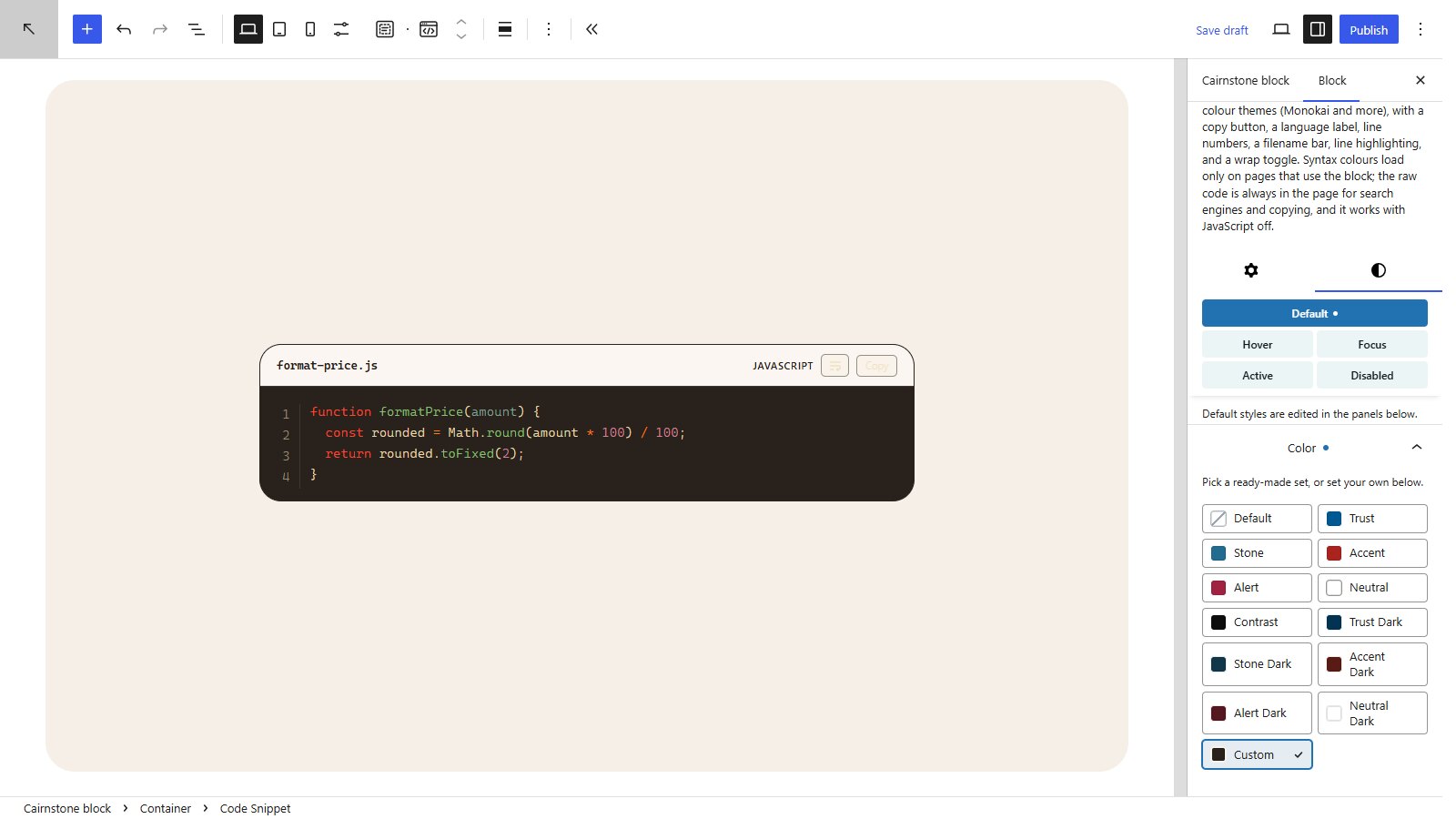
What visitors get
- A header bar with the file name, the language, a Wrap long lines button of their own, and Copy.
- The code is real text on the page, so it can be read, searched and selected.
- On a phone, a long line scrolls to the side, and the code can be reached with Tab so a keyboard user can scroll it too.
function formatPrice(amount) {
  const rounded = Math.round(amount * 100) / 100;
  return rounded.toFixed(2);
}

formatPrice(19.5);
// "19.50"
Try it: a Code Snippet made with the block itself.
Next, read Compare plans in a table.