The Accordion block A piece of a page, such as a paragraph, a picture or a button. In WordPress you build a page by putting blocks one after another. holds questions and answers, or any list of headings a reader opens one at a time. You type each heading, and under it you put any blocks you like. See it working on the Accordion page.
Add an accordion
Add the Accordion block where you want it. It starts with two items.
Click a heading and type it.
Under each heading, write the answer. You can add any blocks there.
To add another heading, select the accordion and click Add item under it.
Settings
Select the accordion (or click Edit accordion (look & colour) under it) and open the Settings tab. The Accordion panel holds:
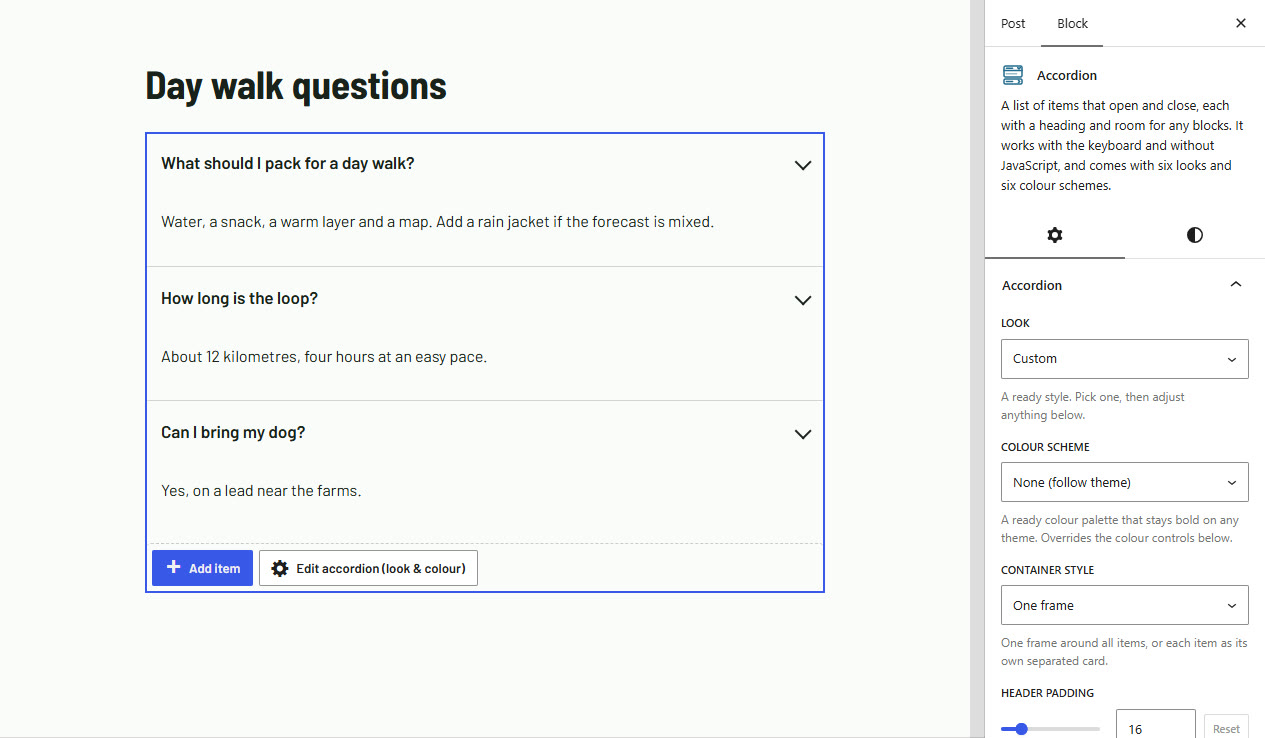
- Look: a ready style, from Custom (the default) to Minimal, Elevated, Editorial, Flat, Inverted and Continuous. Pick one, then adjust anything below.
- Colour scheme: one of eight ready palettes that stay bold on any theme The design of your whole site: its fonts, colours and where the menu and footer go. You pick it under Appearance, then Themes., or none to follow your theme. A scheme overrides the colour settings below.
- Container style: One frame around all items (the default), or Separated cards, each item on its own. With cards, Space between items sets the gap.
- Header padding and Content padding: the space inside each heading and each answer, 16 pixels to start.
- Divider lines between items: on to start.
- Expand symbol: Chevron (the default), Plus / minus or None, and Symbol side: at the end of the heading or at the start.
- Question heading level: Heading 3 to start. Screen reader A program that reads the screen aloud, for people who cannot see it well. They move around the page with the keyboard and hear what is there. users can jump from question to question, so pick the level one below the heading of the section the accordion sits in.
- Open mode: Any number open (the default) lets several items stay open. One at a time closes the others when one opens.
- Closed item background, Open header and Open content: how a closed item, and an open item’s heading and answer, look.
Open an item when the page loads
Start with an item open
Click the heading of the item.
In the Settings tab, in the Accordion item panel, switch on Open when the page loads.
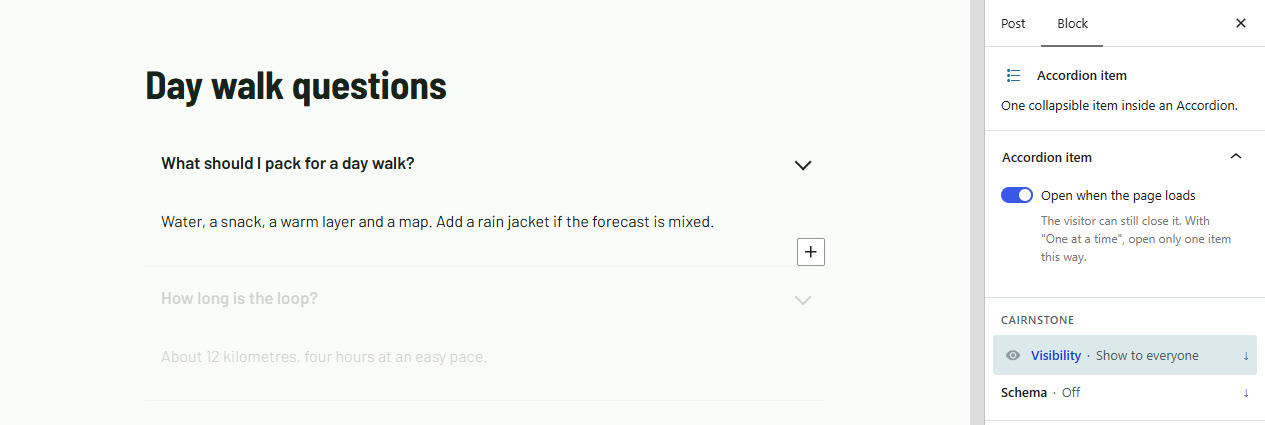
The visitor can still close it. With One at a time, open only one item this way. To link straight to an item, give it an HTML anchor under Advanced; a link to it opens the item.
Colours and shape
Where you set the look depends on where you edit the block. In a normal post or page, the Styles tab has WordPress’s own controls: typography, padding and margin, and border width and corners. In a saved Cairnstone block, under Cairnstone → Blocks, the Styles tab has Cairnstone’s full set: colour, typography, border, shadow, and size and spacing. There, a switch sets colours and shape for each state: Default, Hover, Focus, Active and Disabled. See Style a block in the Styles tab.
What visitors can do
Try it: this is the Accordion block itself, with the first item open when the page loads.
What should I pack for a day walk?
Water, a warm layer, a rain jacket, food for the day and a map.
How long is the loop?
About 12 kilometres, four hours at an easy pace.
Can I bring my dog?
Yes, on a lead near the farms.
- Click a heading to open or close its answer.
- With the keyboard: Tab moves from heading to heading, Enter opens an item and Space closes it.
- Screen readers hear each question as a heading at the level you chose.
- The items open and close even when a browser runs no scripts.
Next, read Add a button that links or acts.