Node → Settings (Gillish Node when Gillish Core is not active) has up to 12 tabs: Google Sync shows while the Google Integrations module is on. Move between them with a click or the arrow keys; the line under the title says which tab you are on. Each setting sits in a card, and a switch says whether it is On or Off. When you change something, a bar at the bottom counts your unsaved changes: Save changes saves every tab at once, and Discard undoes the changes. Health Check and Google Sync have no save bar, because they work with their own buttons, and the Google key saves with its own Save credentials button. Import and export have their own menu item, Node → Import / Export; see Move your links from another plugin.
Every tab
- General: the modules, in four groups (Links, Content Graph, Google, Visitors and privacy), each switched on or off. See below.
- Link Management: the defaults every managed link starts from: the short URL A web address, such as https://example.com/contact/. It is what you type in the browser to open a page.‘s prefix, the redirect type, ended links, how long clicks are kept and the click limit, categories and sub-IDs, which link editor sections are open, the shortcode A short code in square brackets, such as , that you put in your text. When the page opens, WordPress shows something in its place. format, how QR codes look, the default link attributes, UTM templates, always-healthy hostnames, Webhooks, and what happens to Node’s data when you delete it. See Set the defaults for your links.
- Auto-Link: the limits and rules for automatic links. See Link keywords automatically with Auto-Link.
- Redirects: what Node does when a page moves and when a page is trashed or unpublished, the list of missing pages, and whether WordPress may guess where a missing address should go. See Redirect old addresses on your site.
- Broken Links: whether Node checks the links in your posts and pages, and whether it offers old copies from the Internet Archive. See Find and fix broken links.
- Integrations: Country detection, the URL Shortener Service, and Google Search Console & Analytics 4 with its Service account credentials and Test connection cards. See Choose a country source, Shorten links with a URL shortener and Read your Search Console data.
- Privacy: which parts of a click Node keeps (Log IP hash, Log user agent, Log referrer; see Read your link statistics), and a link to Node’s suggested text for your privacy policy page. See Prepare your privacy policy for Node.
- Bot Detection: how Node recognises robots, the Bot click policy, your own Custom bot signatures, and Test a User Agent, which says whether a user agent counts as a robot, which name matched, and whether it came from Node’s own list, yours, or an empty user agent.
- Content Graph: how the map is built and drawn. See Map your internal links with the Content Graph.
- SEO Detection: 17 cards, one per problem the map flags, in two groups (Node signals and Edge signals). Most have a switch, three are always on, and some have thresholds or a colour. See Map your internal links with the Content Graph.
- Health Check: your server, the visitor address Node sees, link health, your content and the map’s cache Saved copies, such as copies of your pages, that make the site load faster. After a change, you may have to clear them before visitors see the new version.. See Check Node’s health.
- Google Sync: the sync state, Run sync now and the 16-month backfill. See Read your Search Console data.
The modules
Under General you switch these parts of Node on or off: A/B Testing, Auto-Link, Bot Detection, Broken Links, Content Graph, Country detection, Dynamic Redirect Rules, Google Integrations, Import / Export, Link Builder, Links to unpublished pages, Privacy mode, Rank Tracker, Redirects, URL Shorteners and Webhooks. Privacy mode, Rank Tracker and Webhooks are off unless you switch them on; the rest are on. Managed links, their redirects and Link Analytics are always on.
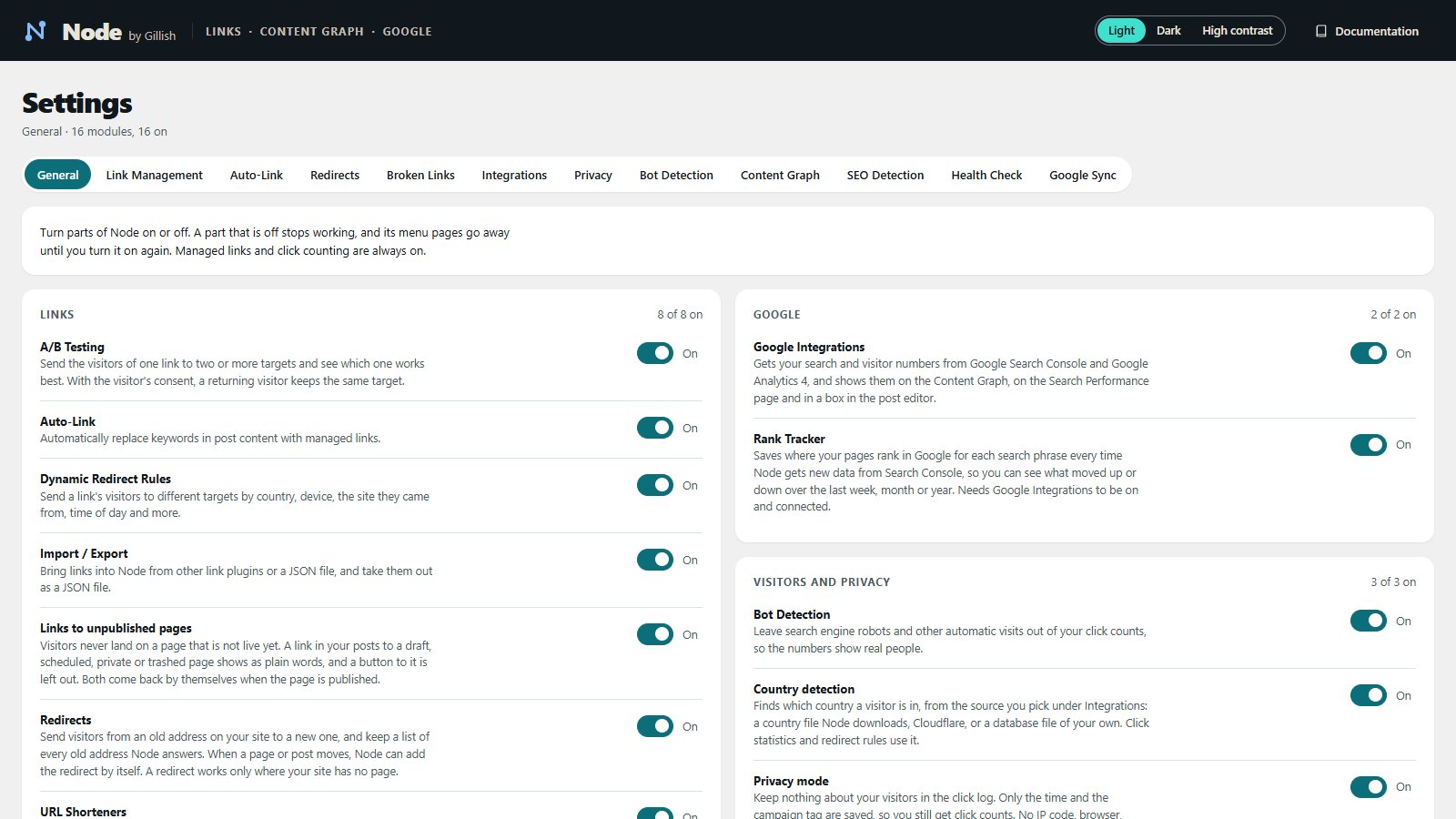
Switching a module off stops all its work, and for Broken Links, the Content Graph, Link Builder, Auto-Link, Redirects, Rank Tracker, Google Integrations and Import / Export it also removes the menu items; the other modules have none. Switching the Content Graph off also hides SEO Stats, Link Stats and the Link Builder. Switching Broken Links off also leaves it out of the email report. With Broken Links on, the check itself still waits until you switch it on, on the Broken Links page.
Next, read Move your links from another plugin.