Node has written a suggested text for your privacy policy page. It says what Node keeps about visitors and why. Node also takes part in WordPress’s tools for requests for personal data, with nothing to switch on. For every Gillish plugin on one page, see What Gillish stores about your visitors.
Add Node to your privacy policy
Go to Settings → Privacy in WordPress and open the Policy Guide tab. The Privacy tab in Node’s own settings links straight there.
Find the Gillish Node section, and click Copy suggested policy text to clipboard.
Paste it into your privacy policy page, change what does not fit your site, and update the page.
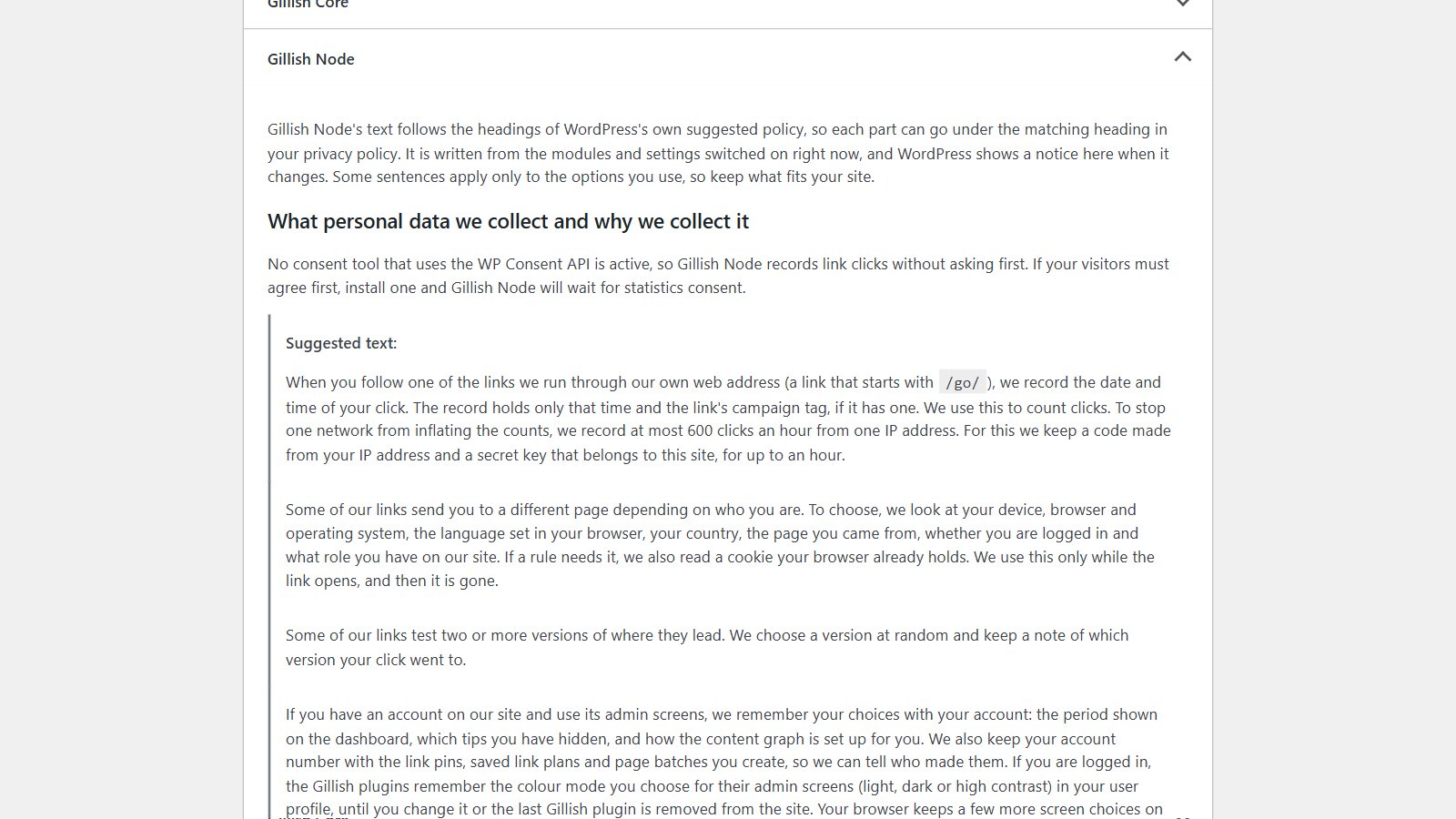
When you change what Node keeps under Settings → Privacy in Node, read the text again and change your page to match.
While a URL A web address, such as https://example.com/contact/. It is what you type in the browser to open a page. shortener is on, Node’s Privacy tab also says that when you shorten a link, its destination address is sent to that service. No visitor data is sent.
When someone asks for their data
Use Tools → Export Personal Data and Tools → Erase Personal Data. WordPress finds a person’s data by their email address.
- Export includes what Node keeps with the person’s user account on your site: screen choices, such as the colour scheme, searches pinned in Rank Tracker, plans saved in Link Builder and page batches made with the Silo Builder. It also includes a note that lists what each click keeps with your settings right now, and for how long. With Privacy mode on, for example, the list reads “Date and time, campaign tag, A/B test version”.
- Erase removes the screen choices. Pins, saved plans and page batches stay, because other people on the site may use them, but they no longer name the account.
What happens to clicks
A click keeps no name and no email address, so export and erase cannot find it and leave it as it is. The erase result says so in its message. With Log IP hash on, a click keeps a code made from the visitor’s IP address; see Read your link statistics.
Click rows are deleted when they are older than Click Data Retention under Settings → Link Management, 180 days unless you change it. To keep less from now on, switch off Log IP hash, Log user agent or Log referrer under Settings → Privacy, or switch on the Privacy mode module under Settings → General.